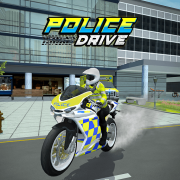
About Police Drive
Gear up for action! Jump into the driver's seat of the police car or hop on the motorbike to chase down criminals and put an end to their crimes in Police Drive game. Ready for high-speed, unpredictable missions? Play now, be fast, complete as many missions as you can, and guard the city's safety and security.
Police Drive is a police action driving simulator game where you drive either police cars or motorbikes to patrol the city, chase criminals, and complete missions. In the game, you will navigate and race through the massive city, weaving through traffic to approach the target location as soon as possible then pursue or catch suspects. For each mission completed, you will receive EXP and in-game money, which you can spend on upgrades to make the vehicles more powerful.
The game features high-speed chases through traffic and city streets, a wide selection of vehicles to unlock (including both police motorbikes and cars), police equipment to aid missions, realistic driving physics and accessible controls, and stunning 3D graphics for immersive play. Whether you prefer the agility of a motorbike or the power of a police car, Police Drive offers an authentic police driving experience.
High-Speed Chases
Experience thrilling high-speed chases through traffic and city streets. Navigate through busy urban environments while pursuing criminals and completing missions.
Vehicle Selection
Choose between police cars and motorbikes, each with unique specs and performance. Unlock more vehicles as you progress through the game.
Realistic Physics
Enjoy realistic driving physics and accessible controls that make every chase feel authentic. Master the handling of different vehicles to excel in missions.
Stunning 3D Graphics
Immerse yourself in stunning 3D graphics that bring the city to life. Experience detailed environments and realistic vehicle models.
What is Police Drive Gameplay About
Police Drive is a police action driving simulator game where you drive either police cars or motorbikes to patrol the city, chase criminals, and complete missions. In the game, you will navigate and race through the massive city, weaving through traffic to approach the target location as soon as possible then pursue or catch suspects.
For each mission completed, you will receive EXP and in-game money, which you can spend on upgrades to make the vehicles more powerful. The game features various mission types, from chasing criminals and arresting suspects to rescuing hostages, each requiring different strategies and skills.
Key game features include high-speed chases through traffic and city streets, a wide selection of vehicles to unlock (including both police motorbikes and cars), police equipment to aid missions, realistic driving physics and accessible controls, and stunning 3D graphics for immersive play. The game balances action-packed gameplay with strategic vehicle management and mission planning.
How to Play Police Drive
Police Drive offers an engaging police driving experience that combines action, strategy, and vehicle management. Here's how to get started and excel in your missions.
Select Your Vehicle
To start, select your vehicle: car or motorbike. The game includes a variety of unlockable vehicles that you can equip as you progress, each with unique specs and performance. Choose based on your mission type and personal preference.
Do Missions
There are various missions in Police Drive, from chasing criminals and arresting suspects to rescuing hostages, etc. Navigate the city and reach your target as fast as you can, keeping a sharp eye on the guiding arrow and staying on the mission. Follow the on-screen directions and complete objectives to progress.
Collect Money and Upgrade the Vehicles
You earn money when you finish missions. Use it to unlock cars and vehicles for better performance so you can do missions more effectively. Upgrades can improve speed, handling, durability, and other vehicle attributes.
Pay Attention to the Health Bar and the Vehicle's Condition
Do not let your health bar drain quickly. At the same time, focus on your vehicle's condition, as it directly affects performance. Running out of fuel or heavy damage can slow you down, reduce handling, or cause mission failure. Manage your vehicle's condition carefully to maintain peak performance.
Game Controls
- WASD or Arrow Keys: Control the vehicle. Use W/Up Arrow to accelerate, S/Down Arrow to brake, and A/D or Left/Right Arrows to steer.
- Left Mouse Click: Enter the car, use the police equipment, and interact with various game elements.
It's now time to take on different missions in Police Drive. Try it now and do your best to stop criminals and dangers.
Vehicles & Selection
Police Drive features a wide selection of vehicles to unlock, including both police motorbikes and cars. Each vehicle has unique specs and performance characteristics that affect your ability to complete missions.
Police Cars
Police cars offer superior durability and stability, making them ideal for high-speed chases and ramming maneuvers. They typically have better protection and can handle more damage before failing. However, they may be less agile than motorbikes in tight spaces.
Police Motorbikes
Police motorbikes provide superior agility and speed, allowing you to weave through traffic more easily and navigate tight spaces. They're perfect for quick pursuits and missions requiring rapid response. However, they may be more vulnerable to damage.
Unlocking Vehicles
As you progress through the game and complete missions, you'll earn EXP and in-game money. Use these resources to unlock new vehicles, each with improved specs and performance. Experiment with different vehicles to find the ones that best suit your playstyle and mission requirements.
Vehicle Selection Strategy
Choose your vehicle based on the mission type. Use motorbikes for missions requiring speed and agility, and police cars for missions requiring durability and stability. As you unlock more vehicles, you'll have more options to match your preferred playstyle.
Missions & Objectives
Police Drive features various mission types, each with unique objectives and challenges. Understanding different mission types and how to approach them is key to success.
Chasing Criminals
Pursue fleeing suspects through the city streets. These missions require speed, precision driving, and the ability to navigate through traffic. Follow the guiding arrow and catch up to the target vehicle to complete the mission.
Arresting Suspects
Approach suspects and use police equipment to arrest them. These missions require careful positioning and timing. Navigate to the target location and complete the arrest before suspects escape.
Rescuing Hostages
Reach hostage locations quickly and safely extract them. These missions prioritize speed and careful driving to avoid endangering hostages. Follow the guiding arrow and reach the destination as fast as possible.
Patrol Missions
Patrol designated areas and respond to incidents as they occur. These missions require awareness and quick response times. Stay alert and react to events happening throughout the city.
Mission Rewards
For each mission completed, you will receive EXP and in-game money. EXP helps you progress through the game, while money allows you to purchase upgrades and unlock new vehicles. Complete as many missions as you can to maximize your rewards.
Upgrades & Progression
Progression in Police Drive involves earning EXP and in-game money through mission completion, then using these resources to upgrade vehicles and unlock new content.
Earning Rewards
For each mission completed, you will receive EXP and in-game money. The amount of rewards depends on mission difficulty and your performance. Complete missions successfully and efficiently to maximize your earnings.
Vehicle Upgrades
Use earned money to unlock cars and vehicles for better performance. Upgrades can improve various vehicle attributes such as:
- Speed: Increase top speed and acceleration for faster chases.
- Handling: Improve steering responsiveness and control.
- Durability: Increase vehicle health and resistance to damage.
- Fuel Efficiency: Reduce fuel consumption for longer missions.
- Equipment: Unlock and upgrade police equipment for mission assistance.
Strategic Upgrading
Focus on upgrades that match your playstyle and mission requirements. If you prefer speed-focused missions, prioritize speed and handling upgrades. If you prefer durability-focused missions, prioritize durability and fuel efficiency upgrades.
Pro Tips for Police Drive
- Follow the Guiding Arrow: Keep a sharp eye on the guiding arrow and stay on the mission. The arrow shows you the direction to your target, helping you navigate efficiently.
- Manage Vehicle Condition: Pay attention to the health bar and the vehicle's condition. Running out of fuel or heavy damage can slow you down or cause mission failure. Maintain your vehicle's condition for optimal performance.
- Choose the Right Vehicle: Select vehicles based on mission type. Use motorbikes for speed and agility, and police cars for durability and stability.
- Weave Through Traffic: Master the art of weaving through traffic to approach targets quickly. Use your vehicle's agility to navigate around obstacles and other vehicles.
- Upgrade Strategically: Focus on upgrades that match your playstyle and mission requirements. Prioritize speed and handling for chase missions, and durability for combat missions.
- Complete Multiple Missions: Complete as many missions as you can to maximize EXP and money earnings. More resources mean better upgrades and more vehicle options.
- Use Police Equipment: Utilize police equipment to aid missions. Equipment can help you catch suspects, clear obstacles, and complete objectives more efficiently.
- Practice Driving Skills: Master realistic driving physics and controls. Practice navigating through traffic and handling different vehicle types to improve your performance.
- Stay Alert: Keep an eye on your surroundings and react quickly to changing situations. Mission objectives can change, and quick reactions are essential for success.
Police Drive FAQs
- How do I control the vehicle? Use WASD or the arrow keys to control the vehicle. Use W/Up Arrow to accelerate, S/Down Arrow to brake, and A/D or Left/Right Arrows to steer.
- What vehicles are available? The game features both police cars and motorbikes, each with unique specs and performance. You can unlock more vehicles as you progress.
- How do I earn money and EXP? Complete missions to earn EXP and in-game money. Use these resources to upgrade vehicles and unlock new content.
- What happens if my vehicle gets damaged? Heavy damage can slow you down, reduce handling, or cause mission failure. Pay attention to your vehicle's condition and manage it carefully.
- What types of missions are there? The game features various mission types, including chasing criminals, arresting suspects, rescuing hostages, and patrol missions.
- How do I upgrade vehicles? Use earned money to unlock cars and vehicles for better performance. Upgrades can improve speed, handling, durability, and other attributes.
- What is the guiding arrow? The guiding arrow shows you the direction to your target. Keep a sharp eye on it and stay on the mission to complete objectives efficiently.
- Can I use police equipment? Yes, use left mouse click to enter the car, use the police equipment, and interact with various game elements.
- Is Police Drive free to play? Yes! Police Drive is free to play and can be enjoyed in your web browser without any downloads.
- What makes Police Drive challenging? The game requires quick reflexes, strategic vehicle management, precise driving skills, and the ability to navigate through traffic while completing mission objectives. Managing vehicle condition and choosing the right vehicle for each mission adds strategic depth.